Capture by voice, on the spot
Dictate a spoken request into text (on-device recognition). Start a note in one tap from the Lock Screen, Control Center, the Action button, or Siri.
 DeskJot
Dictate a request, and on-device AI suggests how to handle it—while color-coded categories and status tracking keep nothing slipping through. Everything runs on-device.
Don't memorize—capture, then pull the hint. Eight pillars built for IT support.
Dictate a spoken request into text (on-device recognition). Start a note in one tap from the Lock Screen, Control Center, the Action button, or Siri.
From what you type, it surfaces a resolution flow, checks to run, and related commands. With fewer clues, it drafts first response / checks / risks. All on-device—nothing sent out.
Network / Account / Security / Printer / Hardware / Mail / On-/Off-boarding / File Sharing. When unsure, it stays uncolored as "Uncategorized." Override manually anytime.
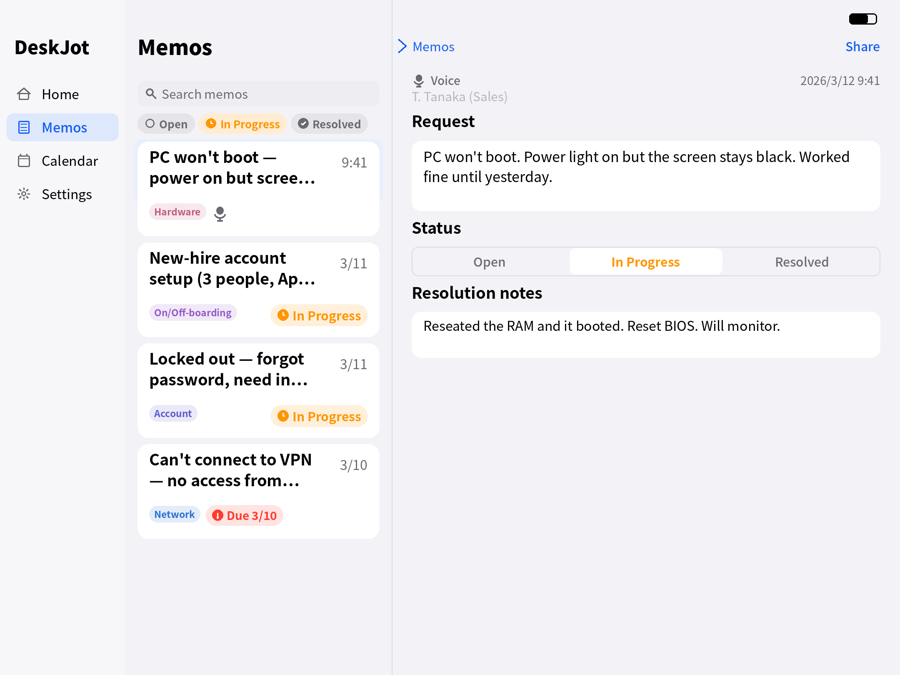
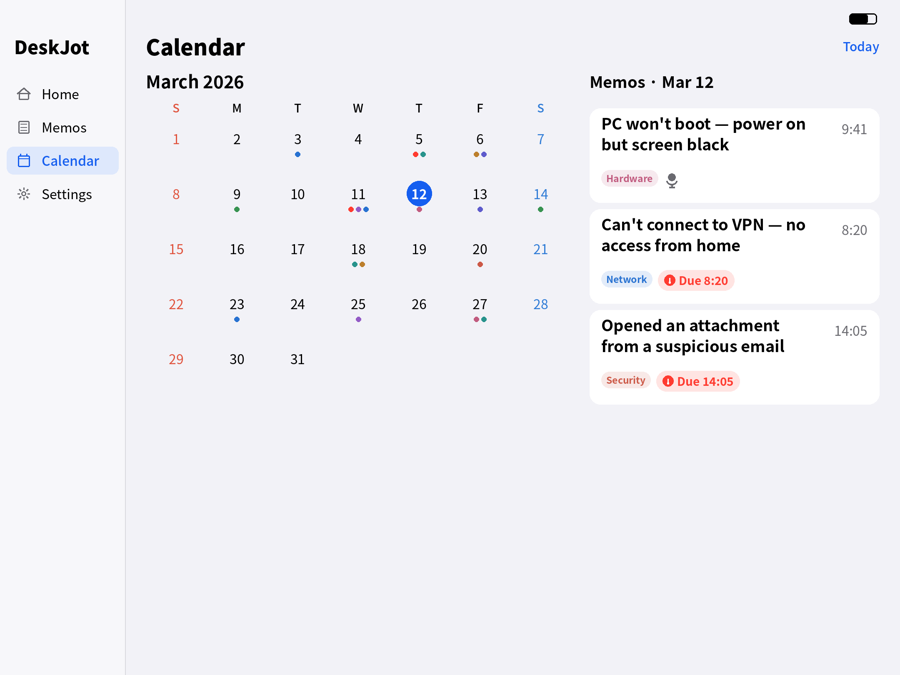
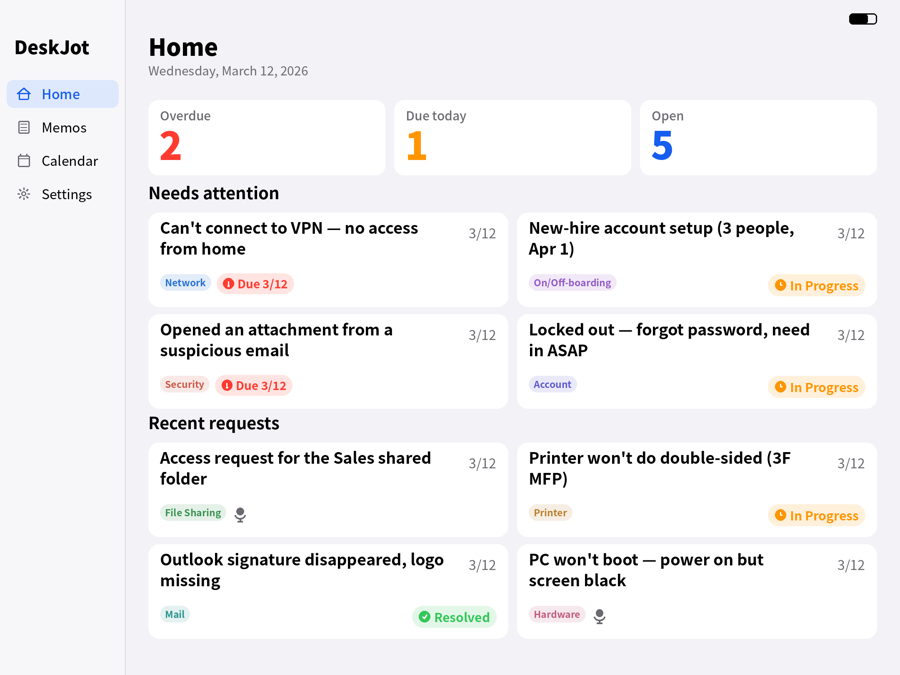
Move each request through Open → In Progress → Resolved. Log what fixed it in resolution notes, and record the requester too. Home shows Overdue / Due today / Open at a glance—tap a card to jump to the list or calendar.
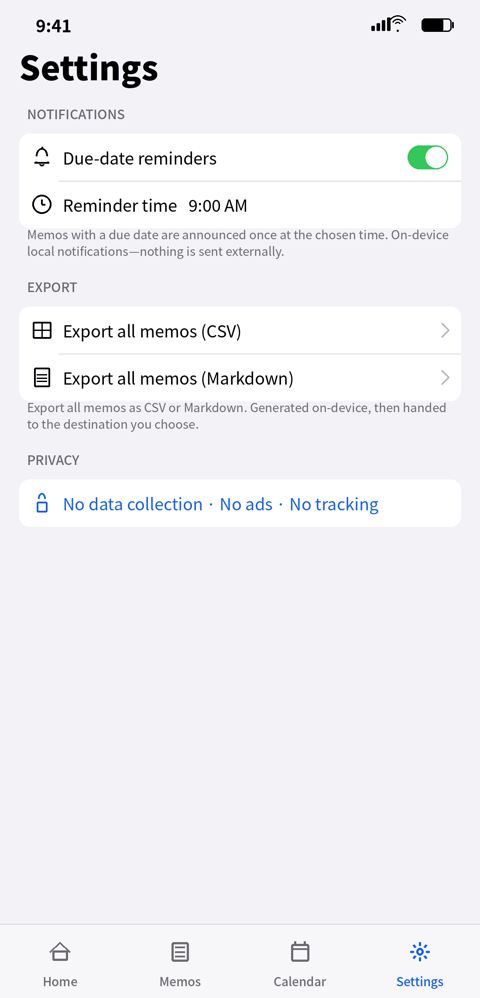
Memos with a due date are announced once at your chosen time, so nothing gets forgotten. On-device local notifications only—no remote push, nothing sent out. Toggle and set the time in Settings.
Export all memos as CSV or Markdown (available on the free plan). The file is generated on-device, then handed to the destination you choose in the share sheet (Files, iCloud Drive, other apps).
No analytics, ads, or tracking. Memos stay on your device. Premium iCloud sync uses Apple's iCloud only—never our own servers.
Switch the display language between Japanese and English. Runs on iPhone and iPad, with iCloud sync on Premium. Dark mode and text-size options included.
Capture → categorize → suggested handling → status, in one flow. Light & dark.
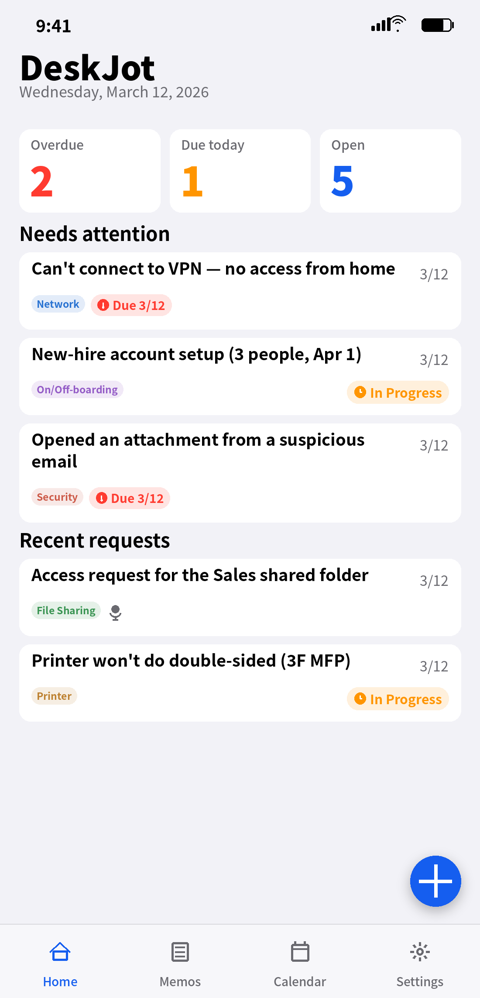
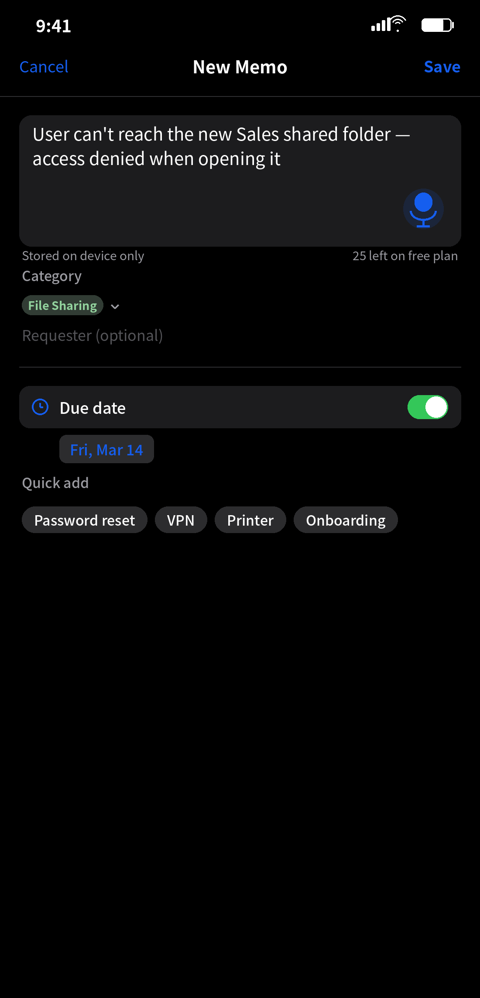
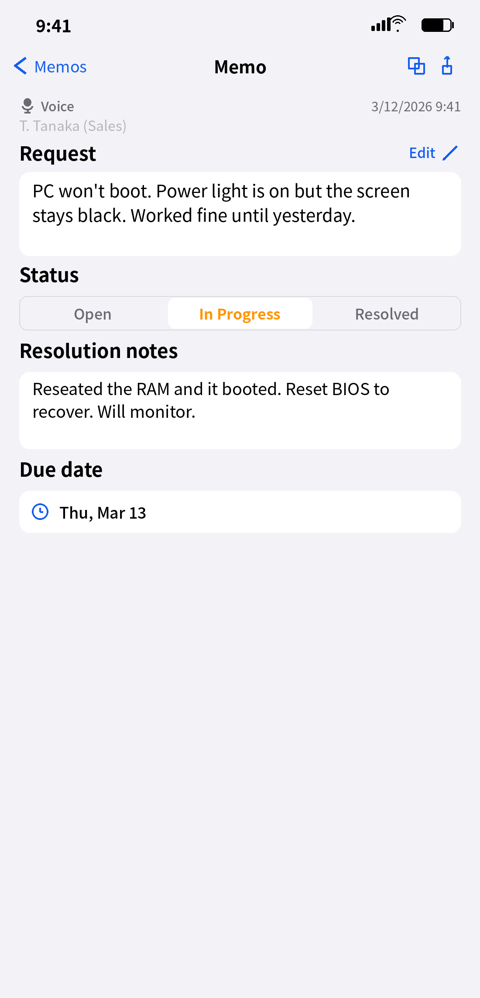
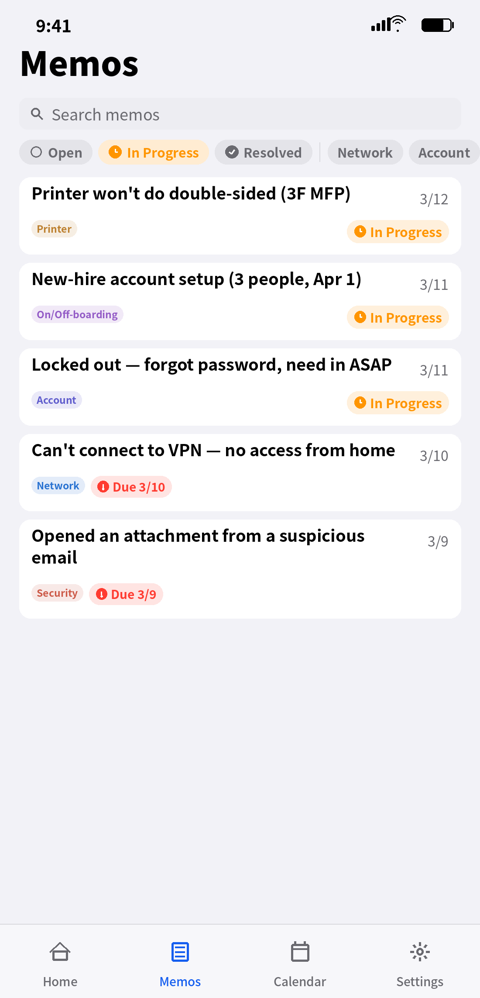
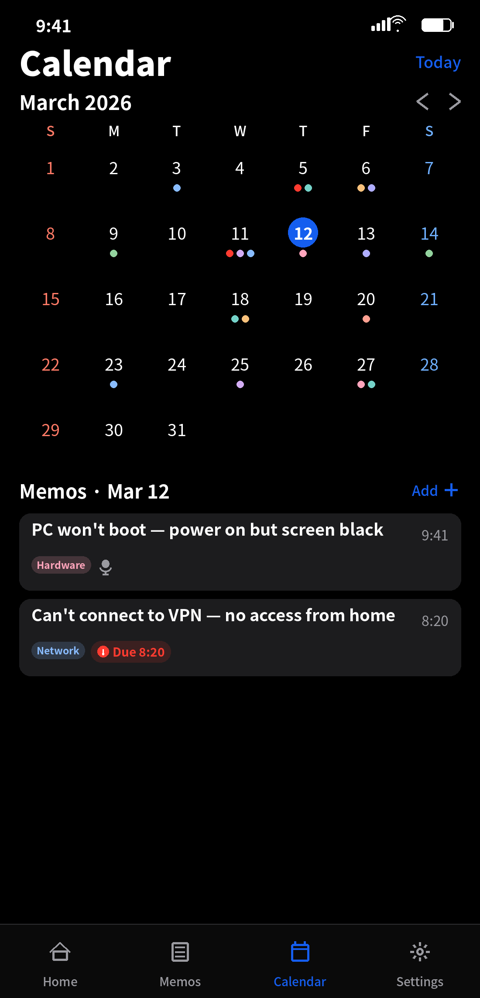
A sidebar with a two-pane layout: list and detail, or the month and the day's memos, side by side.
Three steps so requests never slip through the cracks.
Dictate or type the request. The + button starts a note from any screen.
On-device AI suggests how to handle it, and the category is color-coded automatically.
Move from Open to In Progress to Resolved. Due dates and the calendar keep nothing missed.
Try it for real on Free, then one unlock opens everything.
Even on Free you get voice capture, suggested handling, categories, status, and the calendar.
Yes. Capture, categorization, and suggested handling all run on-device—no connection required.
No. Only a one-time Premium unlock—no monthly or annual fees.
Up to 30 memos, with voice capture, suggested handling, color-coded categories, status, resolution notes, calendar, due-date reminders, and CSV/Markdown export. Premium unlocks unlimited memos and iCloud sync.
Yes. Memos with a due date are announced once at your chosen time. These are on-device local notifications only—no remote push, nothing sent externally. Toggle reminders and set the time in Settings.
Yes. Export all memos as CSV or Markdown (available on the free plan). The file is generated on-device, then handed to the destination you choose in the share sheet (Files, iCloud Drive, other apps). The app never sends it out automatically.
No. There are no analytics, ads, or tracking. Memos stay on your device, and Premium iCloud sync stays within your own iCloud—the developer cannot access it.
From an on-device knowledge base (resolution flows, commands, references) plus rule-based generation. Nothing is sent off-device.
iPhone and iPad (iOS 18 or later).
They're provided for reference. Run anything at your own discretion and risk, ideally with a test environment and backups.
Bug reports and feature requests are always welcome.
If the form doesn't load, open it here.
A tiny indie iOS software workshop in a corner of the forest.